Clastly Pro
Save your reading views, calculate a trip’s budget, and find records by words in photos and PDFs.
Save a reading list filtered to unfinished books, a board grouped by status, or a map of places you want to visit. Keep each view’s layout, filters, sort, and displayed fields, then switch by name.
Type a formula and insert fields or functions as you go. Calculate costs or days between dates, join text, and use conditions to choose a result. Formulas can also calculate with related records and lists of values. Changing a source value updates the result.
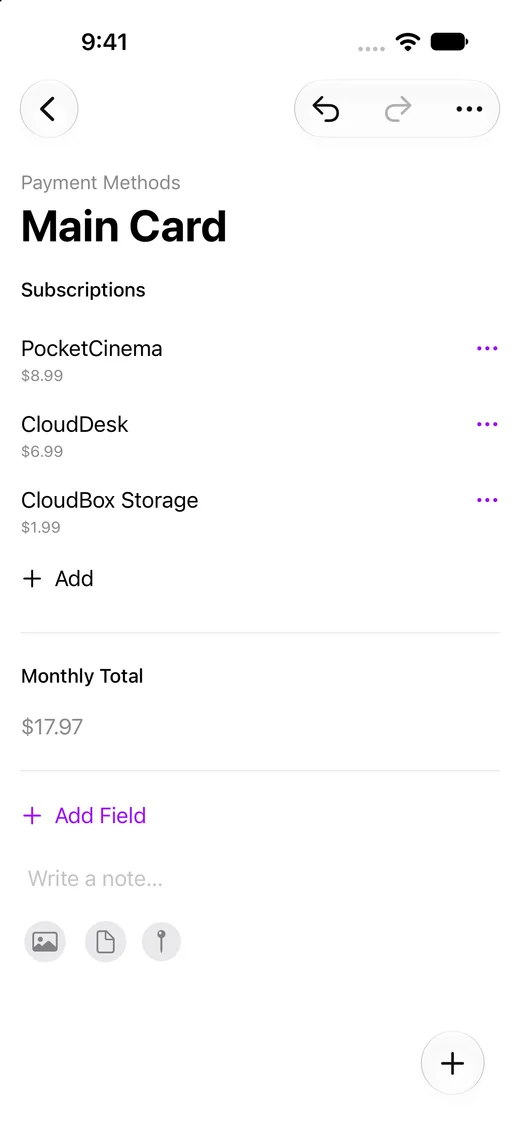
Link records across collections, such as subscriptions to the card that pays for them. A rollup totals, averages, or counts values from the linked records, so each card shows its monthly total.
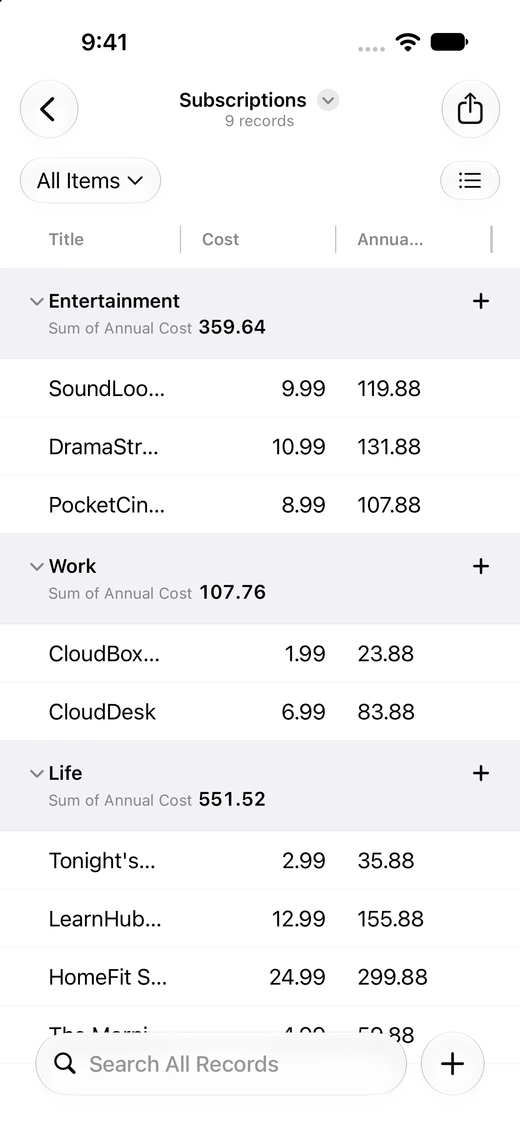
Add sums, averages, medians, ranges, and other summaries to a view. Compare annual subscription costs by category, or show a total for the filtered collection. Summaries work across layouts, including Table, Calendar, and Map.
Search text in attached photos, scans, and PDFs. A dish on a menu photo can lead you back to its café record, with the matching file name and text in the result.
Free and Pro
| Feature | Free | Clastly Pro |
|---|---|---|
| Collections, records, and attachments | Included | Included |
| All seven layouts, grouping, sorting, and filters | Included | Included |
| Date ranges and number formats | Included | Included |
| iCloud sync, CSV/TSV import, CSV export, and backups | Included | Included |
| Views per collection | Only 1 | Unlimited |
| Formula fields | Not included | Included |
| Relation fields | Not included | Included |
| Rollup fields | Not included | Included |
| Summaries | Record count only | Add sums, averages, and other summaries |
| Search inside photos, scans, and PDFs | Not included | Included |
Subscribe in the app
Open Settings → Clastly Pro and choose monthly or yearly billing. Both subscriptions include the same features. If you’re eligible, you can try Pro free for one week.
See the current price, currency, and subscription terms on the app’s purchase screen.
Frequently asked questions
- Will free features become paid?
- No. We have no plans to charge for any feature that is free today.
- Do I need Pro for Table or Calendar?
- No. All seven layouts are free, along with grouping, sorting, filtering, date ranges, and number formats. Each collection has one view you can configure.
- Are monthly and yearly plans different?
- They include the same features. The billing period differs. Check the app’s purchase screen for prices and terms.
- Where do I subscribe?
- Download Clastly from the App Store, then open Settings → Clastly Pro. Purchases are handled through your Apple Account.
- What happens when Pro expires?
- Your records stay available in the collection’s default view. Custom saved views require an active Pro subscription. Existing formula results and configured summaries remain readable; creating or editing them requires Pro. Existing relations and rollup values remain visible, and you can still add or remove links in existing Relation fields. Creating Relation fields, editing relation settings, or creating or editing rollups requires Pro. Attachment content search also requires Pro.