Create your first collection
Updated:
On this page
Create a collection to keep records that share the same fields together.
Create a collection
- Tap Add Collection in the collection list. New Collection appears.
- Enter the collection’s name in Name.
- Tap Done. The new collection is selected, and its name appears in the collection list.
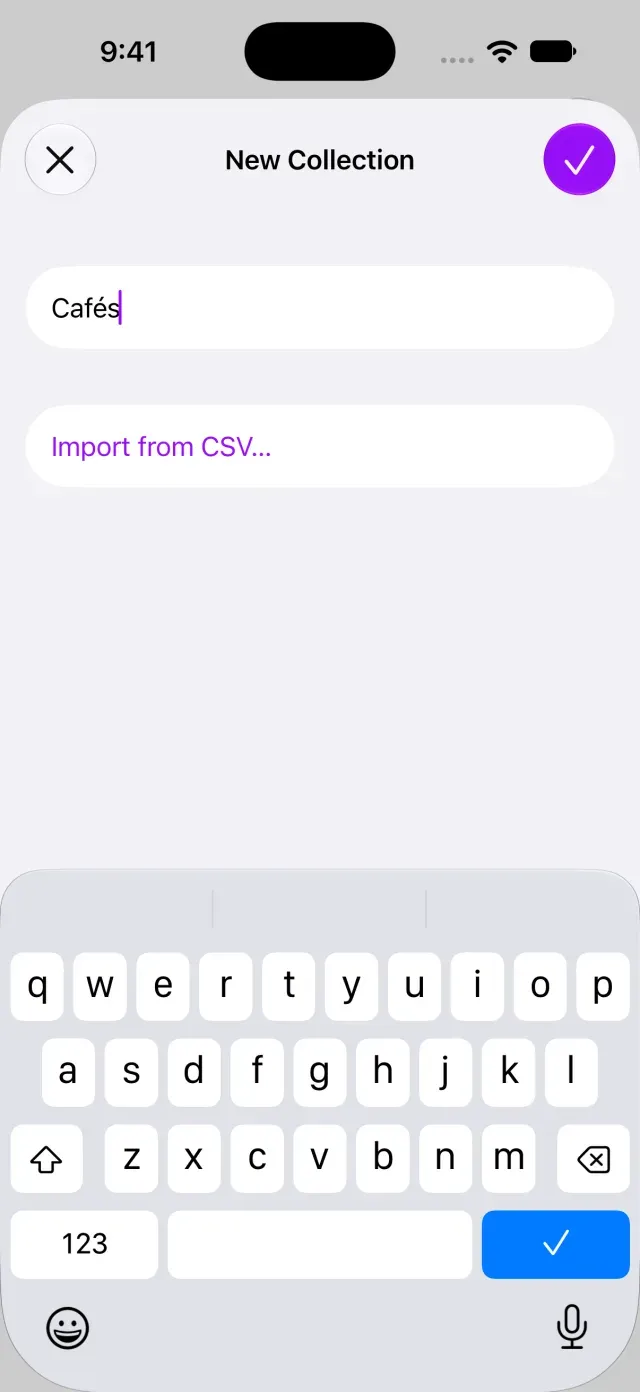
Leading and trailing spaces are removed when you save. A name can’t contain only spaces, so if you can’t confirm creation, enter a non-space character in Name. Open the collection to add records. If the collection doesn’t appear on another device, see Records don’t appear on another device.
Choose a template
Choose a template to add a set of fields for your purpose. Fields hold values such as amounts and dates for each record.
- Open the collection you created and tap its name at the top.
- Tap Edit Collection. If there are no active fields, Choose a Template appears.
- Tap a suitable template. To choose all fields yourself, select Blank.
- Review the fields in the collection editor and tap Done.
Choose a template through Edit Collection after creating the collection. You can also open Edit Collection by touching and holding a collection in the collection list.
Was this article helpful?
Choose a reason
Thank you for your feedback.
If you still need help, use the contact form.