Restore deleted records
Updated:
On this page
Restore a deleted record to return it to its collection’s list.
Open deleted records
You can restore records removed with Delete Record from the deleted records list. Permanently deleted records can’t be restored.
- Open the collection that contained the deleted record.
- Tap the collection name at the top.
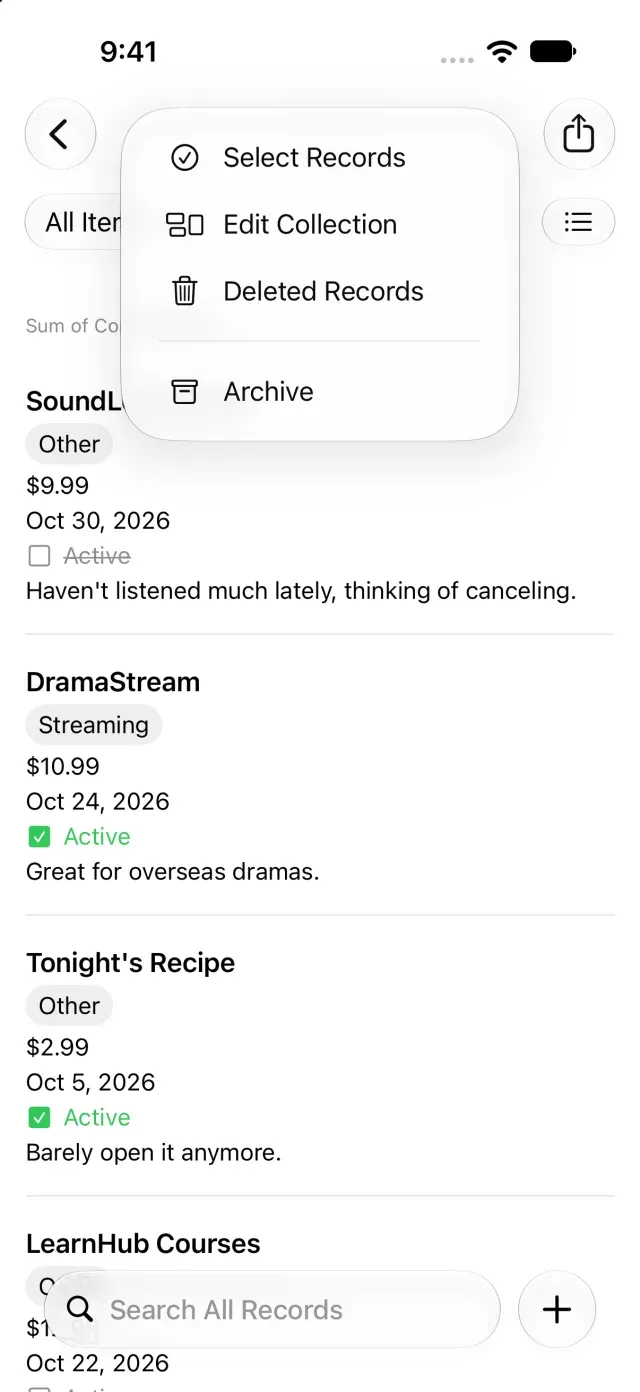
- Tap Deleted Records. The deleted records list appears.
Restore a record
- Tap the record you want to restore in the deleted records list. Its details appear.
- Tap Restore at the bottom of the screen.
- Open the original collection’s list. The restored record appears there.
You can also restore selected records or all records from the deleted records list. When no records are selected, Restore All applies to the entire deleted records list.
If a restored record isn’t visible, check whether a search term or filter is hiding it. If the collection itself is missing from the list, see Rename, archive, or delete a collection. If only another device is missing the change, see Records don’t appear on another device.
Was this article helpful?
Choose a reason
Thank you for your feedback.
If you still need help, use the contact form.